> For the complete documentation index, see [llms.txt](https://docs.consentik.com/llms.txt). Markdown versions of documentation pages are available by appending `.md` to page URLs; this page is available as [Markdown](https://docs.consentik.com/consent-log.md).
# Consent log
## Consent log table
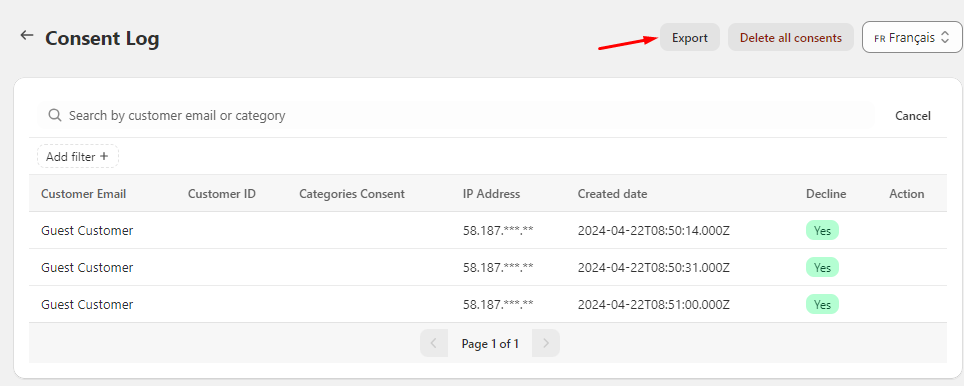
Consent log is where customers' consent is recorded. This can either be giving or denying consent to data collection.
The table here will display information regarding the times when customers interact with your cookie banner. Their basic information will be recorded such as their email, IP address, the timing of the consent, their consent preferences and which cookie category they consent to.
Use the filters on the top right corner to quickly do analysis and find the information you want.
## Exporting
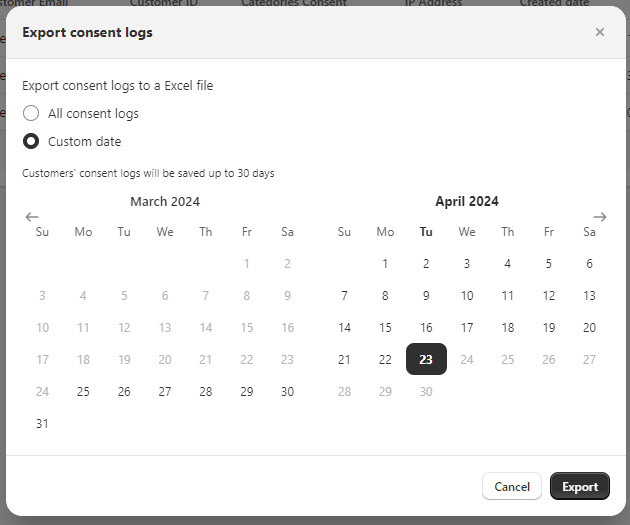
To export data for your own usage, simply click on the 'Export excel' button. You can choose to export the current page only or every record of customers accepting cookies.
## Delete consent log
If, for any reason, you want to delete all of consent record, simply click on the delete all users button on the top right corner. A delete confirmation will appear to ask you to confirm your decision.