> For the complete documentation index, see [llms.txt](https://docs.consentik.com/llms.txt). Markdown versions of documentation pages are available by appending `.md` to page URLs; this page is available as [Markdown](https://docs.consentik.com/consentik-gdpr-cookie-banner-for-shopline/settings/content-customization.md).
# Content Customization
With Consentik GDPR Cookie Banner on SHOPLINE, you’re not limited to just changing how your banner looks—you also have full control over the content and text displayed to your visitors. This ensures your cookie consent message is clear, on-brand, and tailored to your audience.
#### Customize Font Size and Font Family
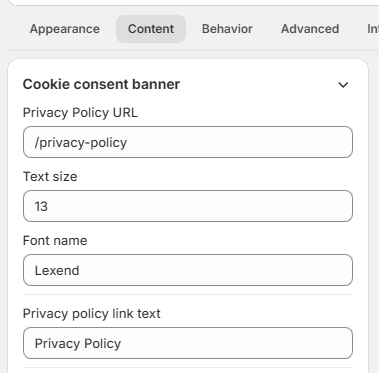
Easily adjust the **font size** and **font family** used in your cookie banner and popups. Whether you want a modern, classic, or playful font style, Consentik lets you pick the right option to match your website’s typography and maintain a consistent look across your site.
#### Edit Banner and Popup Content
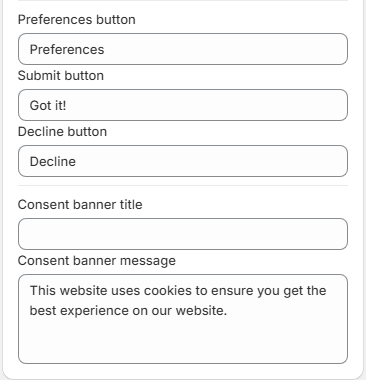
* **Banner Content**: Personalize the main message shown to users, including the title and description on your cookie banner. Make your privacy message as detailed or as brief as you’d like.
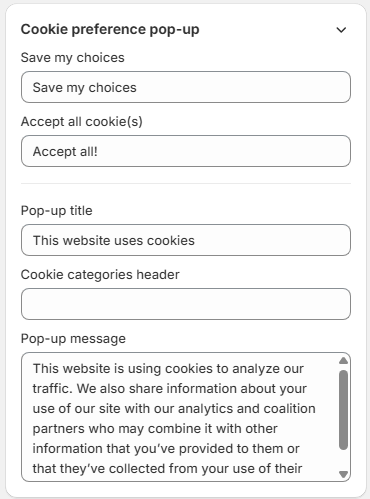
* **Preferences Popup**: Customize the content that appears when users click to manage their cookie preferences. Give clear explanations, add instructions, or provide additional information to help users make informed choices.
#### Tailor Cookie Categories and Information Table
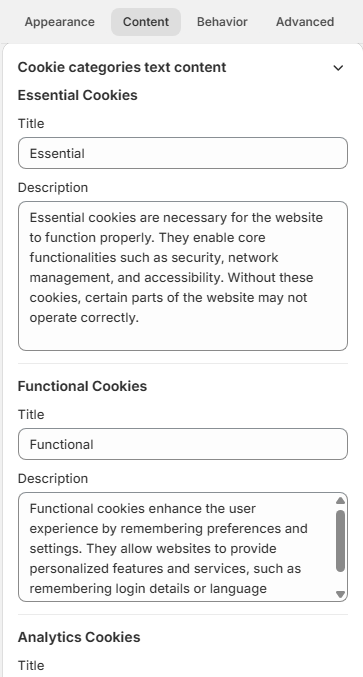
* **Categories**: Rename or edit the descriptions of cookie categories (like “Essential”, “Analytics”, “Advertising”, etc.) to fit your privacy policy and help users understand what each category means.
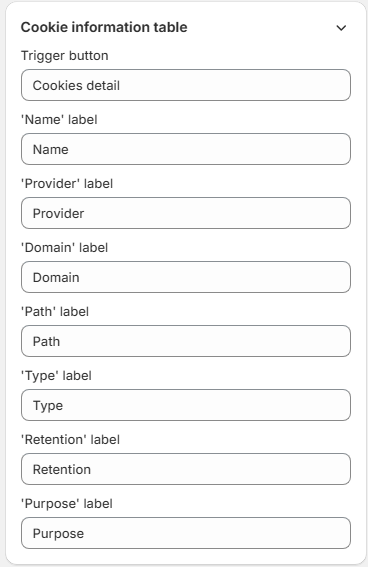
* **Cookies Information Table**: Fully customize the content in your cookie information table.
***
**With Consentik, every word and every detail is in your control—making your cookie consent process both transparent and perfectly aligned with your brand’s voice.**