> For the complete documentation index, see [llms.txt](https://docs.consentik.com/llms.txt). Markdown versions of documentation pages are available by appending `.md` to page URLs; this page is available as [Markdown](https://docs.consentik.com/settings/design-the-banner.md).

# Design the banner

## Set up cookie banner using templates

To save your time as much as possible, we have prepared template designs for you, so you can set up your banner as quick as possible, maybe under 1 minute.&#x20;

<figure><img src="/files/TREyj80h1Mqe9pcWI2BO" alt=""><figcaption></figcaption></figure>

## Manually design your banner

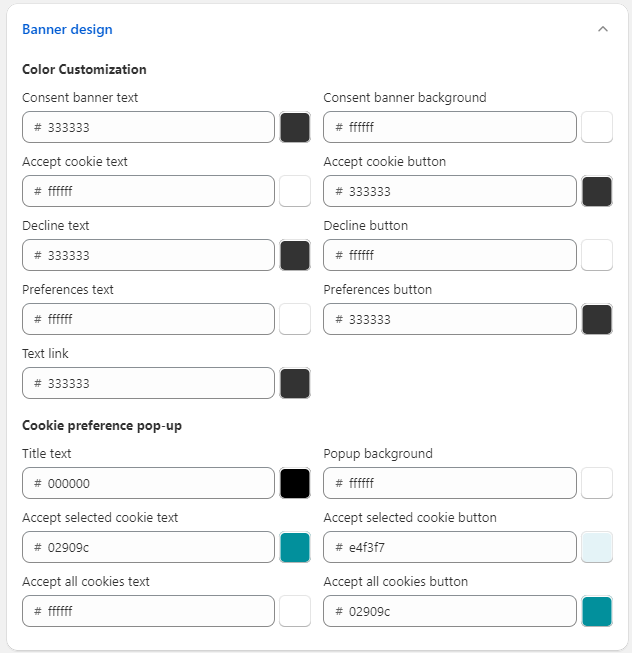
You can edit the coloring of your cookie banner in Banner design section.

<figure><img src="/files/TEsW3l0w4CaIScowA0Vm" alt=""><figcaption></figcaption></figure>

The components on the cookie banner are as followed:

<figure><img src="/files/x50zhCOB6wXLHmVniDCQ" alt=""><figcaption><p>Click on the image to expand</p></figcaption></figure>

&#x20;The components on the preference selection popup are as followed:

<figure><img src="/files/h6Zw6sEQnHfihHmNoRDy" alt=""><figcaption><p>Click on the image to expand</p></figcaption></figure>